
August 29, 2022

What's New in Yellowdig Engage This Fall?

Unlocking Student Motivation with Gameful Learning

Instructors everywhere face the same uphill climb: getting students to participate meaningfully—especially in online classes. Despite your best efforts, traditional discussion forums can feel more like boxes to check than places for real learning. What’s the antidote? For many educators, the answer is gameful learning.

What is Gameful Learning?

Gameful learning isn’t about turning your classroom into an arcade. It’s about applying the elements of games—clear goals, meaningful choice, and immediate feedback—to academic environments. Platforms like Yellowdig use points, badges, and accolades to recognize real contributions, making participation feel rewarding, not obligatory.

Why Gameful Elements Spark Engagement

Why do students respond so well to this approach? Because gameful mechanics tap into motivation in ways that rote assignments can’t. When students earn points for thoughtful posts or insightful replies, they're encouraged to dig deeper and share experiences. A little friendly competition doesn’t hurt, either—leaderboards spark engagement and help shy students ease into participation.

Yellowdig’s Approach: More Than Just Points

Yellowdig’s platform is built around the idea that engagement should be authentic, not forced. Points aren’t given for empty “I agree” comments, but for contributions that spark conversation and critical thinking. Students can curate their posts with articles or videos that interest them and receive recognition when others interact with their content. This approach fosters intrinsic motivation—students participate because they want to, not because they have to.

Real Results in Real Classrooms

Instructors using Yellowdig consistently report stronger participation and deeper discussion. One faculty member noted that “seventy-five percent of student questions get answered by their peers,” freeing up their time to tackle more advanced topics. Students say they look forward to checking new posts, sharing resources, and earning recognition for meaningful contributions.

Tips for Making Gameful Learning Work

  1. Set Clear Expectations: Let students know how points are earned and celebrate thoughtful interaction, not just frequency.
  2. Offer Meaningful Feedback: Use accolades and comments to highlight particularly insightful posts.
  3. Encourage Creativity: Remind students they can use links, visuals, or even short videos to make their posts stand out.
  4. Foster Healthy Competition: Leaderboards and weekly challenges can energize participation and keep momentum going.

The Takeaway

Gameful learning turns participation from a chore into an opportunity for discovery and community. With the right design, recognition, and tools, you’ll see students take more ownership of their learning—unlocking not just better engagement, but genuine excitement for the subject.
Ready to see how gameful learning can transform your course? Try out Yellowdig and join a thriving community that believes learning should be as rewarding as it is rigorous.

As the semester starts to kick off, that means it’s time to dust off the cobwebs and get back into your Yellowdig Communities! If this is your first time back since the spring or even the fall of last year, you will definitely notice a few changes. Below we highlight some of the most notable updates from 2022 to ensure you feel ready to dig into your communities this fall.

New and Improved Post Editor

Our updated post editor released in March opens up more opportunities for creative engagement and content sharing across your learning communities.

The new features and improvements include:

Draw directly on any image. Simply hit the settings icon and navigate to “Draw on image attachment” and then get creative!

Designing posts with images just got more exciting! Move images inline, resize, and add animated GIFs.

You can now add & edit tables.

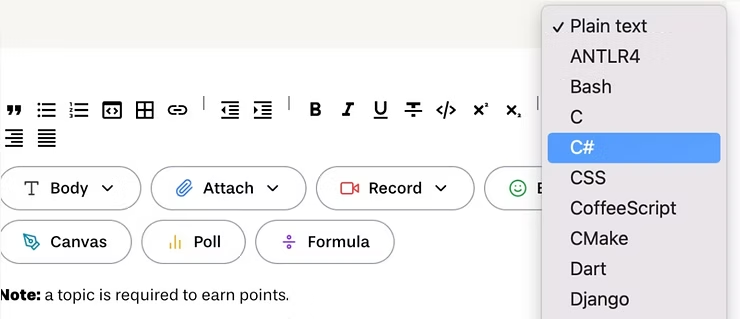
Now displays in 50+ programming languages, see below.
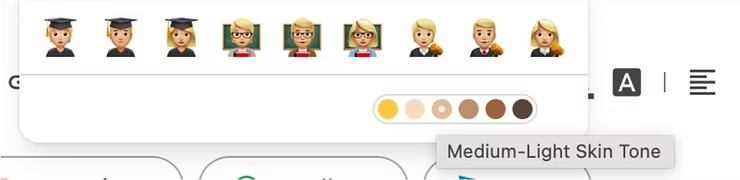
The emoji picker now includes skin tone options.
More support for drag & drop and copy/paste.

Enhanced Notifications with @community Mentions

With this update, community members can notify the whole community with @community or just the admins (typically the instructor and TAs) with @admins.

LTI 1.3 is Now Available for Most Common LMSs

LTI 1.3 is available for Canvas and Blackboard and is in Beta for others. The LTI 1.3 standard touts data privacy and security benefits, as well as a more seamless student experience.

There are Names & Roles integration certifications and improved member management capabilities available through LTI 1.3.

To get set up on LTI 1.3 please follow the instructions in our Knowledge base or reach out to support@yellowdig.com for assistance.

Canvas Groups and Sections Integration

It is now possible for organizations using Canvas to enable Yellowdig group creation via LTI from Groups or Sections that are created inside of the Canvas LMS.

Bookmarked Conversations

With the new bookmarks feature, you’re able to save conversations that you want to reference later on. For example, you can bookmark posts you want to bring up in class. Students can use bookmarks to save study materials or conversations they wish to return to.

Improved Cloud Drafts

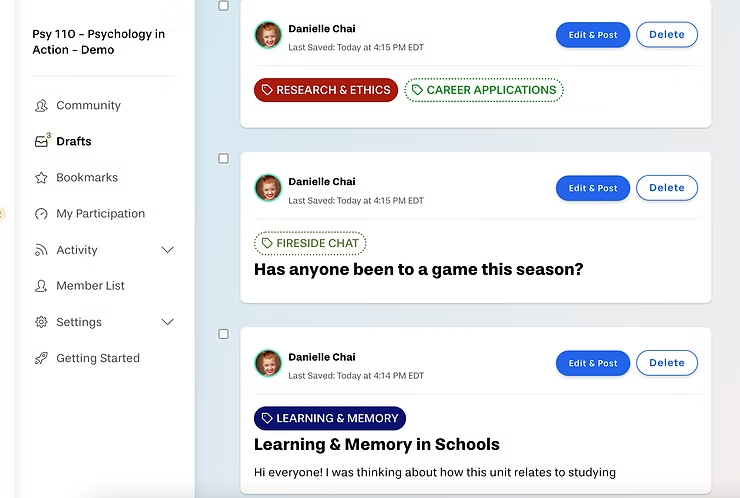
Gone are the days of thinking your post or comment that you worked so hard on vanished into cyberspace. With the updates to our cloud drafts feature, all drafts are easily accessible via the “Drafts” button on the left, with the number of drafts you have in progress indicated by a notification. Simply navigate to the Drafts section to edit and post!
Topics Without Points

This is an important update to take note of, as it may impact how you set up your community this fall. Do you love the idea of allowing students to have the types of side conversations that make students feel comfortable and connected to their peers, but don’t feel comfortable awarding learners points for chatting about the latest Netflix show they’re watching?

Instructors can now enable casual conversations in a Yellowdig community without awarding points to them. This feature ensures that conversations around particular topics are still possible, but that learners will only earn points related to “on-topic” conversations that their community facilitators wish to remain active.

Some great examples of no-point topics include: “Hallway Talk,” “Class Lounge,” or “Water Cooler chat.”

Another use of no-point topics could be disabling points for overused topics or topics you don’t want students to earn points for anymore. For example, maybe in week 1 you encourage students to use the “Introductions” topic, but by week 3 you no longer want students to earn points for that. Simply go back into the topics widget in week 3 and disable point earning! It will only disable points moving forward.
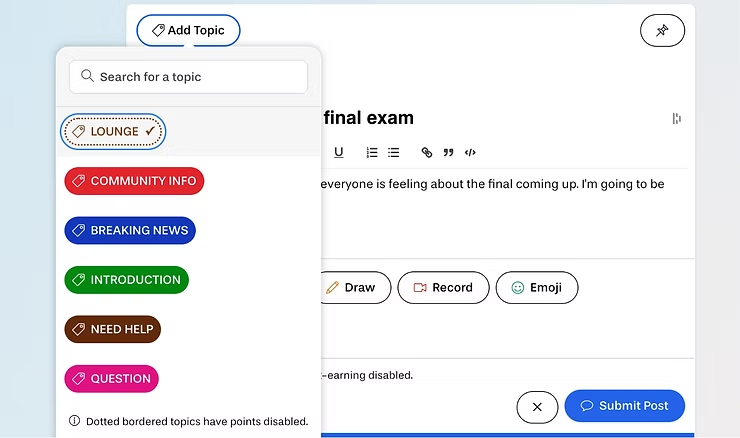
If a topic has points disabled, the topic tag will appear white, and only the text and the dotted outline will have color.
How to make this change: Navigate to Settings > Topics > hovering over a topic click “Edit”. Then select “Point Earning Disabled” and “Save Changes”.

Accolade Widget

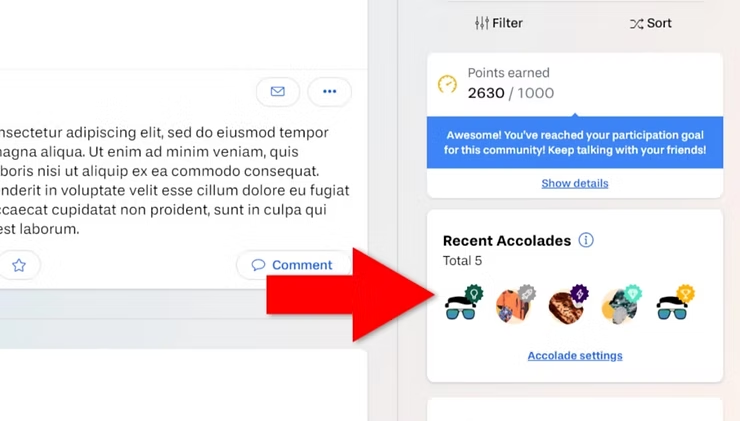
This feature helps to highlight and celebrate great conversations happening in your communities.

An Accolade is a reward given by a community owner or facilitator for exceptional contributions. By providing visibility and quick access to the posts and comments that have received Accolades, great participation will be modeled for your community members. We hope this helps drive more meaningful participation in your communities!
We hope you found this Yellowdig Engage recent update summary helpful. If you have any questions or feedback, please don’t hesitate to reach out! Happy Yellowdigging!


Keep reading
Yellowdig
Want a Yellowdig Community that doesn’t suck? Follow our best practices.

In 2020, we created a composite Community Health metric that captures four key dimensions of student engagement and achievement. Along the way, we confirmed something we already knew: instructors who use many of our best practices have Communities that perform significantly better than instructors who use fewer. Over the past 3 years, we’ve continued to […]

Product Updates
Yellowdig Engage Product Update 2/19

Features: Password complexity checking. This strengthens the security of users’ accounts. Post reply-to threading UI. This distinguishes replies to comments from replies to posts, making it easier to read and track long conversations. Avatar hover card. This allows users to follow and directly message each other by hovering over their picture in the feed. Interactive […]

Student Success
The Textbook’s Crumbling Monopoly

But that is no longer the case today. The textbook’s monopoly on knowledge is crumbling (if it hasn’t already). Scan any university campus or peek in on any dorm room and you will see fewer books. Why? Well aside from the astronomically inflated cost of textbooks at campus bookstores, the model in which students acquire […]

See Yellowdig in Action Today

Experience how effortless engagement and real community can transform your classroom or campus. Book your personalized walkthrough—no pressure, just real results.